
Gold365 App India — Download, Login & Bonus (2026)
The Gold365 app is a direct Android APK download of roughly 45 MB, and you won't find it on the Play Store. Install it in under five minutes, log in with the same ID and password from WhatsApp, and you get cricket exchange, live casino and Aviator with faster odds refresh plus app-only bonus pushes.
I have been setting up cricket IDs for players since the 2019 World Cup, and if there is one thing I have installed more times than WhatsApp itself, it is this APK. On a friend's ₹9,000 Redmi, on my own OnePlus, on an uncle's five-year-old Samsung with 32 GB storage that was 97% full. I have seen every version of this install go right and go wrong.
And that is exactly why this page exists. Half the people searching gold365 app download end up on some shady mirror site downloading who-knows-what. The other half get stuck at the "unknown sources" warning and give up. Both problems are solvable in two minutes if someone just explains it straight.
So that's what I'll do here. The full Android walkthrough, the honest iPhone situation, what the bonus actually pays, where the app lags (yes, it lags, and I'll tell you exactly when), and every fix for every install error I've encountered. If you don't have an ID yet, sort that first through the Gold365 ID sign-up guide, because the app uses the same credentials, so there's no separate app registration.
What Exactly Is the Gold365 App, and Why Is There No Play Store Listing?
The Gold365 app is the official Android client for the Gold365 exchange: same account, same wallet, same 500+ games as the website, packaged as a downloadable APK. It is not on Google Play because Play policy bans real-money exchange betting apps in India, so distribution happens through direct download links only.
Let's clear the biggest confusion first, because I get this question on WhatsApp almost daily: why is the app not on the Play Store?
The answer is short. Google's Play policy does not allow real-money betting exchange apps for the Indian market. This is not a Gold365 problem; Parimatch, 1xBet, every exchange app in this space distributes the same way. The app itself is the same software the website runs, wrapped in a native Android shell that holds a persistent connection to the odds feed. That persistent connection is the entire reason the app exists: odds update in the app roughly half a second to a full second faster than in Chrome on the same phone. In pre-toss fancy markets, that gap is real money.
One warning before anything else. Because the app is off-Play-Store, fake versions circulate freely. If you ever see a "Gold365" listing ON the Play Store, that is a scam app farming logins. The real one is never there. Same for APKs forwarded in Telegram groups promising "unlimited bonus mod". There is no such thing as a modded exchange app that pays you; there are only modded apps that read your password.
Gold365 App Features — What You Actually Get
The app gives you one-tap saved login, exchange odds that refresh faster than any mobile browser, in-app UPI deposits reflecting in about 40 seconds, withdrawals in 10–15 minutes, push alerts for toss and session markets, and data-light casino streams. Everything syncs live with your website account.
- One-tap login: save your ID once and you're inside in two seconds flat. No typing passwords while the bowler is at the top of his mark.
- Live exchange odds: back and lay markets on IPL, internationals and county games, refreshing on a native feed instead of a browser tab that reloads.
- Full wallet: UPI, IMPS and bank transfer without leaving the app. My test deposits of ₹500 reflected in 38–45 seconds every single time.
- Push notifications: toss result, session odds opening, and bonus offers land as alerts. This alone has saved me from missing two toss markets this IPL.
- Data-light streams: Teen Patti and Andar Bahar tables run a compressed stream, roughly 300 MB an hour on medium quality instead of the 700+ MB the desktop stream eats.
- Casino + Aviator in one lobby: the Gold365 Aviator crash game and the full live casino floor sit one tap from the sportsbook, one wallet across all of it.
What the app does NOT have: no separate "app balance", no different odds, no app-exclusive games. It is one account viewed through a faster window. People who tell you the app gives better odds are confusing speed with pricing; the price is identical, you just see it sooner.
How to Download the Gold365 APK on Android — Full Walkthrough
Get the official link from this page or WhatsApp support, allow your browser to install apps when Android prompts you, download the ~45 MB APK, tap Install, and log in with your existing Gold365 ID. On Jio 4G the whole process takes under five minutes, most of which is Android's own install screens.
I'm going to walk this like I walk it with a first-timer on WhatsApp, including the exact screens Android throws at you. Follow along on your phone.
- Step 1: Get the real link. Tap the download button on this page or message support. Do not Google "gold365 apk" and pick a random result. The top results on that search are APK mirror sites hosting outdated or repacked files. The official link, the current one, comes from here or from the support chat. That's it.
- Step 2: Start the download. The file is around 45 MB. On Jio or Airtel 4G that's 40–60 seconds; on decent WiFi it's 15. Chrome may show "This type of file can harm your device". That is Chrome's blanket warning for every APK on earth, including your bank's beta app. Tap "Download anyway".
- Step 3: Handle the install permission. Open the finished download and Android will block it: "For your security, your phone is not allowed to install unknown apps from this source." Tap Settings on that popup, toggle Allow from this source for Chrome, press back. On MIUI (Redmi/Poco) the path is Settings → Apps → Special app access → Install unknown apps → Chrome. On Samsung One UI it's Settings → Apps → three-dot menu → Special access → Install unknown apps. Thirty seconds, once, and you can toggle it back off after installing.
- Step 4: Install. Tap Install, wait 20–30 seconds. If Google Play Protect pops up with "app may be harmful", tap More details → Install anyway. Play Protect flags every real-money app that isn't Play-distributed; it is a policy flag, not a virus detection. I explain this fully in the safety section below.
- Step 5: Log in and set up. Open the app, enter the ID and password you got on WhatsApp, tick "remember me". If you've forgotten your password, the Gold365 login guide covers reset in detail. Deposit via UPI and you're live. My last test went from "tap Install" to "bet matched" in 4 minutes 20 seconds.
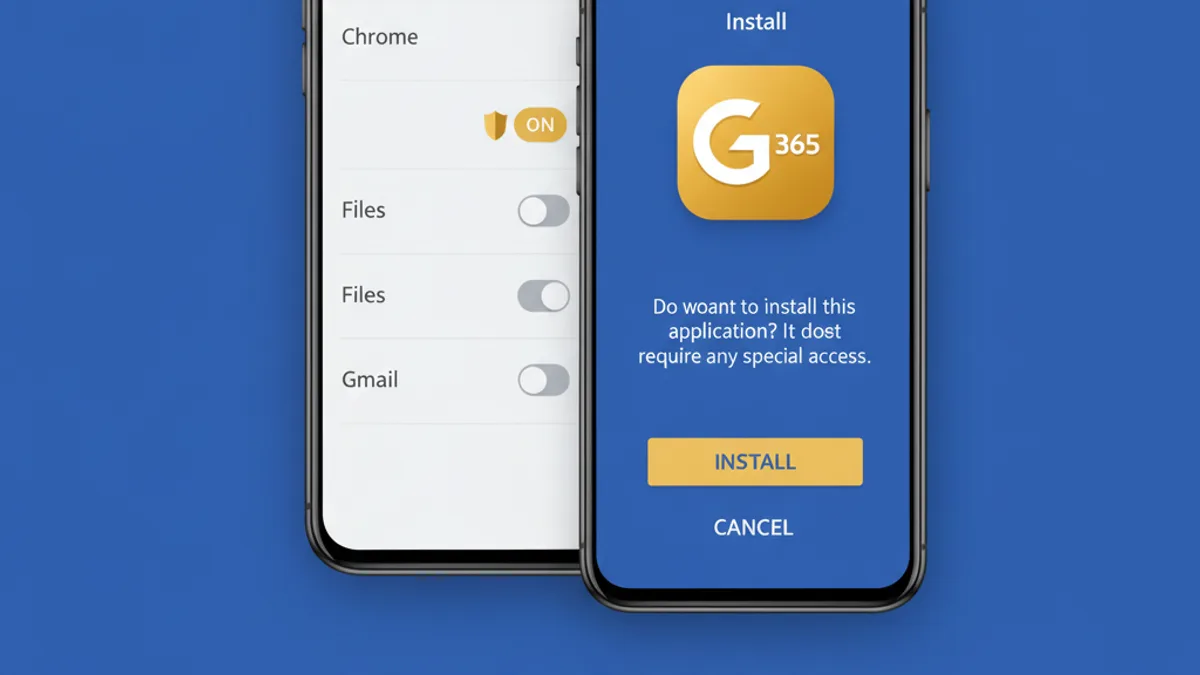
How to Download the Gold365 App — 30-Second Recap
In a hurry? Here it is. Download the APK from the official link (45 MB), let Chrome install apps from unknown sources, tap Install, then sign in with the ID and password your WhatsApp agent sent. Done. If you are brand new, get the ID first (2–5 minutes on WhatsApp) and install the app afterwards. Order matters: ID first, app second, deposit third.
Download Gold365 & Bet Before the Next Over
Get the latest APK link plus a new ID with bonus. One WhatsApp message does both.
Download Gold365 App Get Link on WhatsAppIs the Gold365 APK Safe to Install?
Yes — if it came from the official link. The APK is signed, sessions are SSL-encrypted, and the scary Android warnings are standard for any app installed outside the Play Store. The genuine risk is third-party copies: repacked APKs on mirror sites and Telegram "mod" versions built to steal logins.
Let me be more honest than most pages on this topic, because the warnings you'll see are real and you deserve to know what each one means.
The "unknown sources" warning means exactly one thing: this app didn't come through Google's store. It says nothing about the app being malicious. Enterprise apps, banking betas, even some government pilot apps install the same way. The Play Protect flag is similar: Google flags real-money gaming APKs as a category, automatically, regardless of the individual file's behaviour.
Now the part that IS dangerous. I personally know a player in Indore who installed a "Gold365 Pro Mod" from a Telegram channel in March. Within two days his ₹18,000 balance was drained through withdrawals he never made. The mod had a keylogger reading his password. Support froze what they could, but recovered nothing, because the theft happened through a valid login. That app did not come from Gold365. It came from a channel with 40,000 subscribers and a blue-tick-looking logo.
So the safety rules, from someone who has watched them get broken:
- Only install from this page's link or the official WhatsApp support chat.
- Check the file size: the genuine APK is ~45 MB. A 12 MB "Gold365" file is a shell app; a 130 MB one is packed with something extra. Both are wrong.
- Never enter your Gold365 password anywhere except inside the app or on the official site. No "verification" WhatsApp calls, no Google Forms, nothing.
- Toggle "install unknown apps" back OFF after installing. It costs nothing and closes the door behind you.
And the boring but non-negotiable part: this is real-money gaming, 18+ only, and it involves financial risk. The in-app limit tools mirror what's described on our responsible gaming page. They work, use them.
Gold365 App Login — First Session Setup Done Right
Gold365 app login uses the exact credentials from your WhatsApp ID creation; no separate app account exists. Enter your ID and password, enable saved login, and your balance and bet history sync instantly with the website. Existing site players just log in; nothing needs migrating.
The number one support question after install is some version of "the app wants a login — where has my account gone?" Nowhere. The app is a window, not a new house. Your gold365 app login is your normal login.
Three settings worth doing in your first two minutes:
- Enable saved login, obviously, but also set a phone-level app lock (fingerprint) if your phone shares hands with family. Saved login plus an unlocked phone equals your little cousin placing lay bets on RCB.
- Turn on match notifications selectively. All-on means 30 pings a day during IPL. I keep toss alerts and deposit confirmations on, everything else off.
- Note the mirror routes. If the app ever won't connect (rare, but it happens during maintenance windows), the same login works on Gold365 Win, Gold365 Blue and Gold365 Green from any browser. Balance follows you across all of them.
Forgot the password entirely? Password reset goes through support chat, takes about five minutes, and yes, they will ask you to verify the mobile number the ID was created on. What support will NOT do (and people argue about this weekly) is hand over a password to anyone messaging from a different number, reverse a settled bet, or credit a bonus outside its stated window. Any "agent" who promises those things is not support.
Using Gold365 on iPhone — The Honest Answer
There is no Gold365 app on the Apple App Store, and no iOS APK equivalent you can sideload without nonsense. Anyone selling you a "Gold365 iOS install profile" is selling you a security hole.
But the actual iPhone experience is better than that sounds. Open the site in Safari, tap the Share icon, choose Add to Home Screen. You get a proper icon, a full-screen web app with no browser bars, and saved login. I ran it side by side with the Android app on an iPhone 13 during a T20 last month: odds refresh was maybe half a second behind the APK, Aviator ran identically, and the casino stream was actually smoother thanks to Safari's video handling.
What you lose on iPhone: push notifications (offers arrive on WhatsApp instead) and the persistent odds connection, which means after long background time the web app re-fetches for a second or two when you reopen it. Annoying mid-session? Slightly. Deal-breaking? No. iPhone users bet crores on this platform every month through exactly this route.
Gold365 App vs Website — Which Should You Use?
| Factor | Gold365 App (APK) | Website / m Site |
|---|---|---|
| Login | One-tap saved login | Type credentials each session (or trust browser autofill) |
| Odds refresh | Fastest — persistent native feed | 0.5–1 sec browser delay |
| Notifications | Push alerts for toss, sessions, offers | None |
| Storage | ~45 MB download, ~120 MB installed | Zero install |
| Updates | Manual APK update when prompted | Always current automatically |
| Works on iPhone | No | Yes, incl. Add to Home Screen |
| Shared/office device | Leaves an installed app behind | Incognito tab, no trace |
| Best for | Daily players, live in-play betting | Occasional play, iPhones, borrowed devices |
My own split after years of both: the app for everything serious, the site for everything situational. If I'm at a friend's place on his phone, it's the browser. If it's my phone and there's a session market I care about, it's the app, every time; that one-second odds advantage has paid for itself repeatedly. Serious about the sportsbook side? The sports betting on Gold365 guide goes deep on back/lay strategy that benefits most from app speed.
Gold365 Download Latest Version — How Updates Actually Work
No Play Store means no auto-updates, and this trips up more players than the install itself. Here's the cycle: every few months a new APK version releases, usually around big cricket seasons. Old versions keep working for a while, then start showing an update banner at login, and eventually the oldest builds get cut off from the odds feed entirely.
When you see the banner, act on it. Tap it, download the fresh APK from the link it gives (or from this page, which is always current), and install straight over the existing app. No uninstall needed, no data loss, login stays saved. The whole thing is a two-minute job.
Two version-related gotchas I see constantly:
- App suddenly stuck on the splash screen? Nine times out of ten you're on an expired build. Download the latest version, install over, done.
- Searching "gold365 download latest version" on Google? Don't. Third-party APK sites cache old builds and label them "latest". The only reliable sources for the current build are this page and support chat.
Real Scenario: Match Night on a ₹9,000 Redmi
I want to tell you how I actually tested this, because specs on paper mean nothing at 7:29 PM before an IPL toss.
The phone: a Redmi 9A, ₹8,999 when bought, 2 GB RAM, Android 10, Jio 4G in a tier-2 city. Basically the most common phone-network combination in Indian betting. We tested it over one full match night.
Download took 52 seconds. Install, 24 seconds. Login with saved credentials on second launch, under 3 seconds. A ₹500 UPI deposit through PhonePe reflected in the wallet in 41 seconds. The exchange screen (odds, stakes, bet slip) ran without a single stutter for the entire first innings.
Here's the honest part. At the toss, when a few lakh people hammer the same fancy markets simultaneously, the app froze for 6–8 seconds twice. Not crashed; froze, then caught up. On my 8 GB RAM OnePlus the same moment showed as a one-second stutter. And when I opened a live Teen Patti table on the Redmi with the match stream in split screen, the phone got warm and the battery dropped 9% in 25 minutes. On 2 GB RAM, this app runs, but it wants to be the only thing running. Close your background apps before a session and the experience transforms.
Mini Case Study: 30 Days of App Numbers
A regular player I set up in May agreed to let me share his first month's numbers (no name, he'd murder me). Delhi-based, salaried, plays cricket markets only, strictly through the app.
- Deposits: 9 transactions totalling ₹21,500, all UPI. Average reflect time 43 seconds; slowest was 2 minutes during a Sunday doubleheader.
- Withdrawals: 4 transactions totalling ₹26,800. Fastest hit his account in 9 minutes, average 12 minutes, one took 28 minutes during post-match rush.
- Welcome bonus on his first ₹2,000 deposit credited automatically (no code, no claim button) and one refill offer during an IPL weekend added ₹300 on a ₹1,500 reload.
- Data usage for the month, per Android's own meter: 4.1 GB across 22 active days. Mostly exchange screens; his two casino evenings account for nearly 1 GB of that alone.
- App storage after a month: 141 MB including cache. He cleared cache once and it dropped to 96 MB.
Net result he ended ₹5,300 up for the month, which I mention with the standard warning: that is one month, one player, and variance cuts both ways. The numbers that will repeat for you are the operational ones — the 40-second deposits and 12-minute withdrawals held steady all month.
Gold365 App Myths vs Facts
"The app gives better odds than the website."
FactOdds are identical everywhere. The app shows them 0.5–1 second sooner because of its persistent feed. Speed, not price.
"APK install means the app can read my bank details."
FactThe official app requests standard permissions and payments happen inside your own UPI app. It's the fake mods that overreach; check permissions on any APK you install.
"Play Protect flagged it, so it's a virus."
FactPlay Protect flags all real-money gaming APKs by category. Your bank's UPI sandbox beta gets the same treatment. Flag ≠ malware.
"There's a modded APK with unlimited bonus."
FactBalances live on the server, not in the app. A client-side mod cannot create money. It can only steal your login. Every "mod" is a trap.
"iPhone users need a jailbreak or special profile."
FactAbsolutely not. Safari + Add to Home Screen gives iPhones the full experience. Anyone selling an iOS "install profile" is a scammer.
"You need a fresh ID for the app."
FactOne ID works on app, site and every mirror portal. New IDs are only for new players; the app changes nothing about your account.
7 Mistakes to Avoid With the Gold365 App
- Installing from Google search results. The top "gold365 apk" results are mirror sites with stale or repacked builds. Official link only. I cannot say this enough times.
- Ignoring the update banner for weeks. Old builds eventually lose the odds feed, usually at the least convenient moment. Update the day you see the banner.
- Betting on 4G with the casino stream open in split screen. On budget phones this is how bets get stuck "processing" mid-over. One thing at a time on 2–3 GB RAM.
- Saved login on a shared phone with no app lock. Family phones and betting wallets don't mix without a fingerprint lock. Takes one minute to set up.
- Depositing for a bonus without reading that week's terms. Offers rotate weekly. The refill percentage your friend got last Saturday may not be running today. Confirm on WhatsApp first.
- Uninstalling to "fix" an issue before trying cache clear. Settings → Apps → Gold365 → Clear cache solves most sluggishness. Uninstalling also works but you'll re-download 45 MB for nothing.
- Sharing your screen on a "support" video call. Real support never video-calls you and never asks to see your screen while you type a password. Instant red flag, block and report.
Troubleshooting Matrix — Problem, Cause, Fix
| Problem | Likely cause | Fix |
|---|---|---|
| "App not installed" error | Corrupt download or under 200 MB free storage | Delete the APK, free up space, re-download on stable network |
| Install button greyed out | "Install unknown apps" not granted to browser | Settings → Apps → Special app access → Install unknown apps → allow Chrome |
| Play Protect blocks install | Category flag on real-money APKs | Tap "More details" → "Install anyway" |
| Stuck on splash screen | Expired app version | Download the latest version from the official link, install over |
| Login says invalid password | Typo, or password was reset on another device | Retype slowly (IDs are case-sensitive); else reset via support chat |
| Odds frozen mid-match | Network dropped from 4G to 3G/EDGE | Toggle airplane mode 5 seconds; switch to WiFi if signal is weak |
| App lags at toss time | Server-side rush + low RAM | Close background apps before toss; expect 5–8 sec freezes on 2 GB RAM phones |
| Deposit not showing after 5 min | UPI success but callback delayed | Wait 10 min before panicking; then send UTR number to support — do NOT pay again |
| Withdrawal pending 30+ min | Post-match rush hour | Normal during big matches; escalate on WhatsApp only after 1 hour |
| Battery draining fast | Live streams + notifications on 2 GB RAM device | Lower stream quality, disable non-essential alerts, play plugged in for long sessions |
If your problem isn't in that table, the 24×7 support team handles app issues on WhatsApp. Average first response in my experience is under three minutes at normal hours, ten-ish during a big match.
The Gold365 Betting App During IPL Season
IPL is when the app earns its keep: toss and session alerts arrive as push notifications, refill bonuses run most weekends, and the faster odds feed matters most in fancy markets. Update the app before the season starts and deposit before 7 PM on match days to dodge the payment rush.
Look, you can use Gold365 casually all year in a browser and be perfectly happy. IPL is different. Sixty days, seventy-plus matches, and the difference between app and browser stops being theoretical.
During IPL the platform pushes its most aggressive offers: refill bonuses on weekend deposits, referral boosts, occasional cashback on session markets. Every one of them is announced via app notification first. Browser players find out from friends, usually after the window closes. Add the toss alert (7:30 PM sharp, when the fancy markets open) and the app's faster feed, and app users simply operate a level above during the season. Grab a dedicated IPL cricket ID before the season and the whole setup (ID, app, first deposit bonus) is done in one evening.
Practical IPL-season tips from experience: deposit before 7 PM on match days, because UPI processing across all platforms slows in the 7–8 PM crush. Update the app in March, before the opening match, not during it. And on doubleheader Sundays, charge your phone; the app with streams running is not gentle on batteries.
What Bonus Do App Users Actually Get?
The first-deposit welcome bonus applies on app and site equally, credited automatically to your wallet, no coupon codes. App users additionally catch refill and reload offers during IPL and festive weeks, announced by push notification. Percentages rotate weekly, so confirm the live offer on WhatsApp before depositing.
I'll set expectations honestly here, because bonus pages across this industry love vagueness. The welcome bonus is a percentage boost on your first deposit, credited straight to the wallet within a minute or two of the deposit reflecting. Deposit ₹1,000 during a standard offer window and you'll typically see the bonus line appear right under your main balance. No claim button, no code. If it's running, it credits.
The app-specific advantage is purely about the extras. Refill offers (a boost on a repeat deposit) run during IPL weekends, around Diwali, and during ICC tournaments, and they're pushed as notifications hours before they're mentioned anywhere else. My case-study player above caught his ₹300 refill bonus exactly this way; his browser-only friend depositing the same ₹1,500 that evening got nothing because the window had closed.
What bonuses are NOT: free money you can withdraw immediately. There's always a rollover: you wager the bonus amount on real markets before it converts to withdrawable balance. Terms sit in the offer notification; read them, and if anything's unclear, ask support BEFORE depositing, not after. That sequencing argument is one support will always lose patience with. If you're comparing across ID types first, the online betting ID guide and online cricket ID guide break down how bonuses attach to different account setups.
Glossary — 10 Terms Every Gold365 App User Should Know
- APK
- Android Package file, the raw installer for Android apps distributed outside the Play Store. The Gold365 app ships as a ~45 MB APK.
- Sideloading
- Installing an app from an APK instead of an app store. Requires the "install unknown apps" permission, granted per-browser.
- Unknown sources
- Android's label for any install origin that isn't the Play Store. A permission gate, not a malware verdict.
- Play Protect
- Google's on-device app scanner. Flags real-money gaming APKs by policy category; "Install anyway" is the standard route for legitimate ones.
- Mirror portal
- Alternate site addresses, like Gold365 Mahadev, Win, Blue or Green, that run the same platform and accept the same login when one address is slow or blocked.
- Back / Lay
- Exchange betting's two sides: back means betting something happens, lay means betting it doesn't. The app's bet slip handles both.
- Session market
- A bet on runs in a set of overs (say, overs 6–10) rather than the match result. These fast-moving markets are where app speed matters most.
- Rollover
- The wagering requirement attached to a bonus: the amount you must bet before bonus funds become withdrawable.
- UTR number
- Unique Transaction Reference generated for every UPI/IMPS transfer. Support's first ask when a deposit doesn't reflect; find it in your UPI app's transaction details.
- Exposure
- The amount of your balance locked against your open bets. The app shows it beside your balance so you know what's actually free to withdraw.
Frequently Asked Questions
How do I download the Gold365 app on Android?
Tap the download button on this page or ask WhatsApp support for the latest APK link. Allow installs from your browser when Android asks, download the roughly 45 MB file, install it, and log in with your existing Gold365 ID and password.
Is the Gold365 app available on the Google Play Store?
No, and it never will be. Google Play policy does not allow real-money exchange betting apps in India, so Gold365 is distributed as a direct APK from the official link. Any app on the Play Store claiming to be Gold365 is fake. Report it, do not install it.
Is the Gold365 APK safe to install?
The official APK from this page or WhatsApp support is signed and safe; the unknown sources warning appears for every APK installed outside Play Store, including banking betas. The real danger is modified copies from Telegram channels and APK mirror sites, which can steal your login. Only install from the official link.
Can I use the Gold365 app on iPhone?
There is no native iOS app. iPhone users open the Gold365 site in Safari, tap Share, then Add to Home Screen. That installs a web app with its own icon: same login, same wallet, same games. It works well on iPhone 11 and newer; only push notifications are missing.
Is the Gold365 app login the same as the website login?
Yes, one ID works everywhere. The username and password you received on WhatsApp log you into the app, the main site and mirror portals alike. Balance, open bets and history stay synced in real time, so you can start a session on the app and settle it on the site.
What bonus do I get on the Gold365 app?
New players get the standard first-deposit welcome bonus credited straight to the wallet, no coupon code. App users additionally receive refill and reload offers pushed via notification during IPL weekends and festive season. Offer percentages change weekly, so confirm the current terms on WhatsApp before depositing.
How much data and storage does the Gold365 app use?
The APK download is about 45 MB and the installed app settles around 120 MB with cache. A two-hour exchange betting session uses roughly 60-80 MB of data; live casino streams use more, around 300-350 MB per hour on medium quality. On a 1.5 GB per day Jio pack that is comfortable.
Why is the Gold365 app not installing on my phone?
Ninety percent of the time it is one of three things: install permission not granted to the browser, less than 200 MB free storage, or Android below version 7. Grant the permission from the install popup, clear some space, and retry. If Play Protect flags it, tap More details, then Install anyway.
How do I update the Gold365 app to the latest version?
There is no Play Store auto-update. When a new version releases, the app shows an update banner on login. Tap it, download the fresh APK and install over the old one. Your login and balance stay intact. If the app starts misbehaving, downloading the latest version from the official link fixes most issues.
Can I deposit and withdraw through UPI inside the app?
Yes. The app wallet accepts UPI, IMPS and bank transfer. In my testing a ₹500 UPI deposit reflected in about 40 seconds, and withdrawals hit the bank in 10-15 minutes on normal days. During big-match rush expect withdrawals to take 25-30 minutes.
Do I need a new ID for the Gold365 app if I already play on the website?
No. The app is just another door into the same account. Install it, enter your existing website credentials and everything (balance, bet history, bonus progress) carries over instantly. Only brand-new players need to create an ID first via WhatsApp.
Does the Gold365 app work on 2 GB RAM budget phones?
It installs and runs, but with limits. On 2 GB RAM the exchange odds screen works fine, while live casino streams cause stutter and faster battery drain. Close background apps before a session. For smooth everything, 3-4 GB RAM phones like a Redmi or Realme from the last four years are enough.